.MD PDF DOCX HTML

The markdown converter that just works.

Type. Preview. Edit. Export.

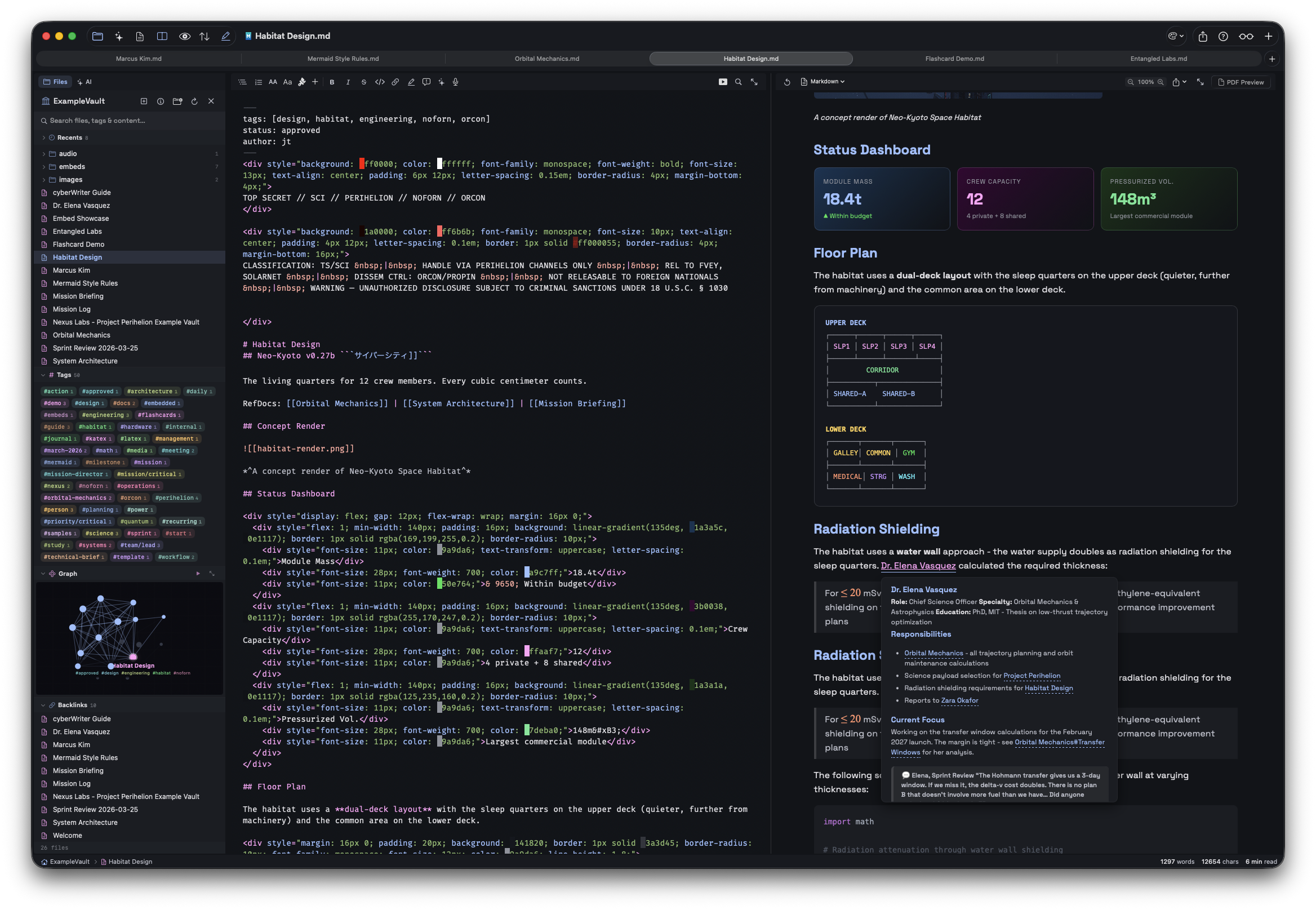
Transform your Markdown into beautifully formatted PDFs and Word documents. Native macOS app with zero external dependencies. No Pandoc, no LaTeX, no command-line tools required. Featuring live previews, quick insert syntax for markdown and CSS, custom PDF export tools, and more.

macOS 14+ Sonoma • App Store Sandboxed • Zero Telemetry

Nabu - Markdown Editor with Live Preview
devPad App
Try Now

devPad

Slide out split panel browser and code editor

Everything you need to write beautifully

A distraction-free writing environment with instant preview and professional export options.

Live Preview

See your formatted document update in real-time as you type. Split-view, editor-only, or preview-only modes with ⌘1 ⌘2 ⌘3.

Professional PDF Export

Export with customizable paper size, margins, headers, footers, and page numbers. Preview every page before exporting. Quick export with ⌘E.

Word Document Export

Generate native .docx files compatible with Microsoft Word, Google Docs, and other word processors. Pure Swift OOXML generation.

HTML Live Preview

Edit HTML files with instant rendered preview. Perfect for prototyping web pages, testing snippets, or previewing email templates.

Syntax Highlighting

Code blocks with syntax highlighting for 40+ languages. 22 editor themes including Atom One Dark, Monokai, GitHub, Xcode, and more.

Document Templates

Start quickly with pre-built templates for README files, meeting notes, blog posts, project plans, and changelogs. Access via File menu or right-click context menu.

Outline Sidebar

Navigate large documents with a collapsible outline sidebar showing all headings. Click to jump to any section. Toggle with ⌘⇧O.

Focus Mode

Distraction-free writing with all toolbars hidden. Enter focus mode with ⌘⇧F and write without distractions.

Inline Image Support

Support for markdown and html image (remote or local) with resizing via html tags.

CSS Support

Supports many common CSS Formatting commands - color, boxes, borders, text direction and size, justification, and lots more - with quick inserts from the menus

Native MacOS Tab Workflows

Work on multiple documents with native macOS tabs. Drag to merge windows, ⌘T for new tab. Your tab layout persists across sessions.

Document Themes

Four beautiful themes for preview and export: Academic, Modern, Sepia, and Night. Each optimized for different use cases.

Zero Dependencies

No Pandoc, no LaTeX, no Homebrew packages. Everything runs natively on macOS with WebKit. Download and start writing immediately.

Privacy First

App Store sandboxed with zero telemetry. Your documents never leave your device. No analytics, no tracking, no accounts.

Export exactly how you want

Full control over your exported documents. Preview every page, adjust settings, and export with confidence.

PDF Export Options

Paper size (Letter, A4, Legal, Custom), orientation, margins, headers & footers, page numbers, and PDF/A compliance.

DOCX Export

Native Word document generation with proper heading styles. Compatible with Word, Google Docs, and Pages.

Page Preview

See exactly how your document will look before exporting. Thumbnail view with page-by-page navigation.

Nabu Export Options

Four beautiful themes

Choose the perfect style for your document

Academic

White background. Perfect for papers, theses, and formal documents.

Modern

Clean and contemporary. Great for tech docs and READMEs.

Sepia

Warm cream tones. Easy on the eyes for long reading.

Night

Dark mode PDF exports. Reduced eye strain.

Keyboard-first workflow

Stay in flow with intuitive shortcuts

File & View

New Document ⌘N
New Tab ⌘T
Editor Only ⌘1
Split View ⌘2
Preview Only ⌘3
Toggle Outline ⌘⇧O
Focus Mode ⌘⇧F

Export & Edit

Quick Export PDF ⌘E
Export with Options ⌘⇧E
Bold ⌘B
Italic ⌘I
Insert Link ⌘K
Insert TOC ⌘⇧T
𒀭𒀝

Start writing beautifully

Download Nabu and transform your Markdown into professional documents in seconds.

Download on the Mac App Store

macOS 14.0+ Sonoma required • One-time purchase

Zero Telemetry
App Store Sandboxed
100% Local

Get in Touch

Questions, feedback, or feature requests? We'd love to hear from you.