
Local LLM Testing & Benchmarking
Measure the performance of your models with precision. Real-time metrics, side-by-side comparisons, and unified model management for Apple Silicon. Export results, view all past runs with graphs and full details, face off two models on different backends with Arena Mode and stamp a winner. Supports Ollama, LM Studio, MLX, and any OpenAI API compatible endpoints. Now with canned performance requests and direct Ollama model pull from inside the app!
𓂀 SAVE WITH THE BUNDLE 𓂀
Get Anubis, devPad, and Nabu Pro together at a discount
devPad + Nabu Pro + Anubis
$12.99 — SAVE ON ALL THREE
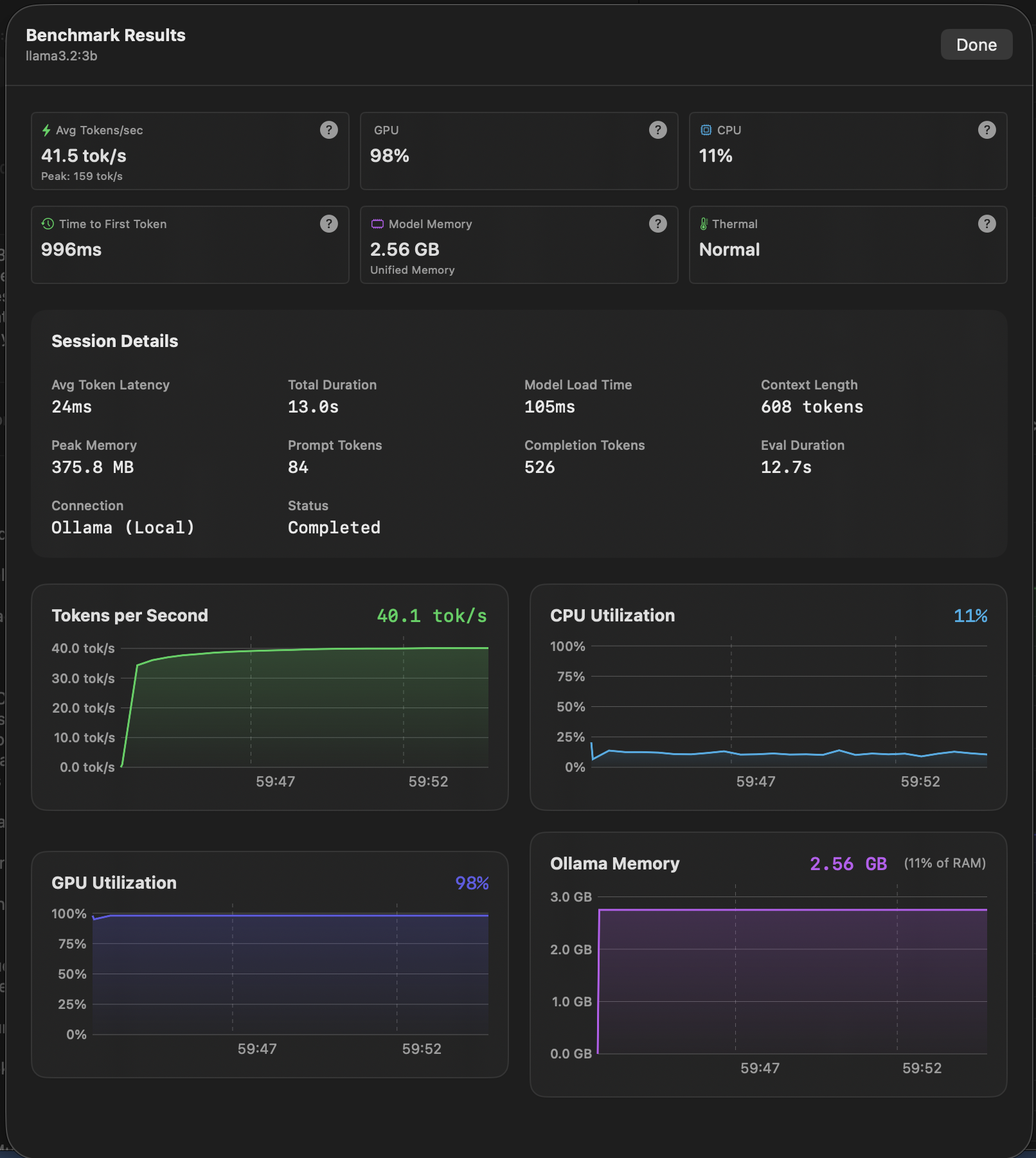
Simple but effective Local LLM Benchmarking tools.
Three powerful modules to test, compare, and manage your local LLMs
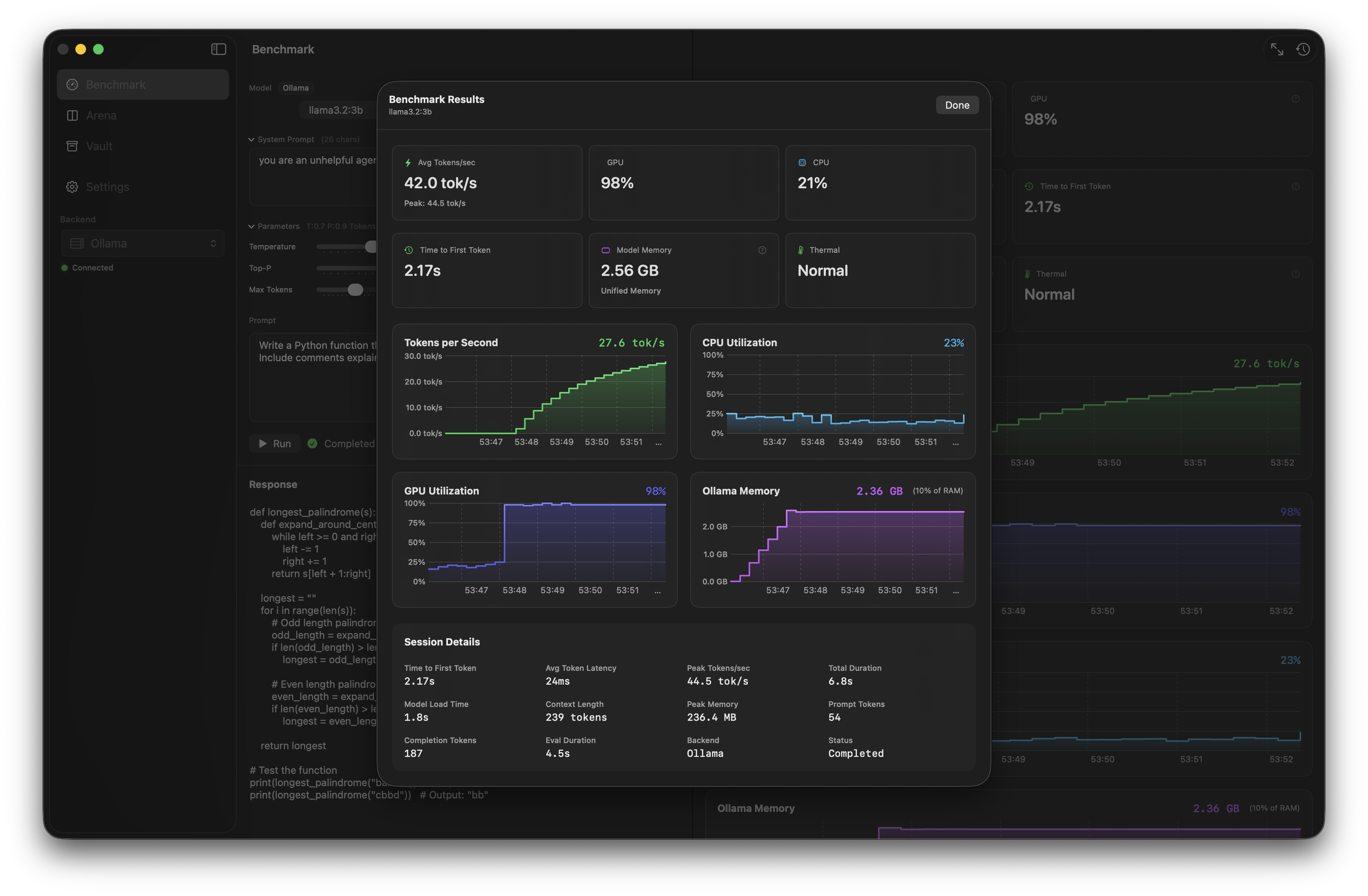
Real-time performance dashboard with live metrics during inference.
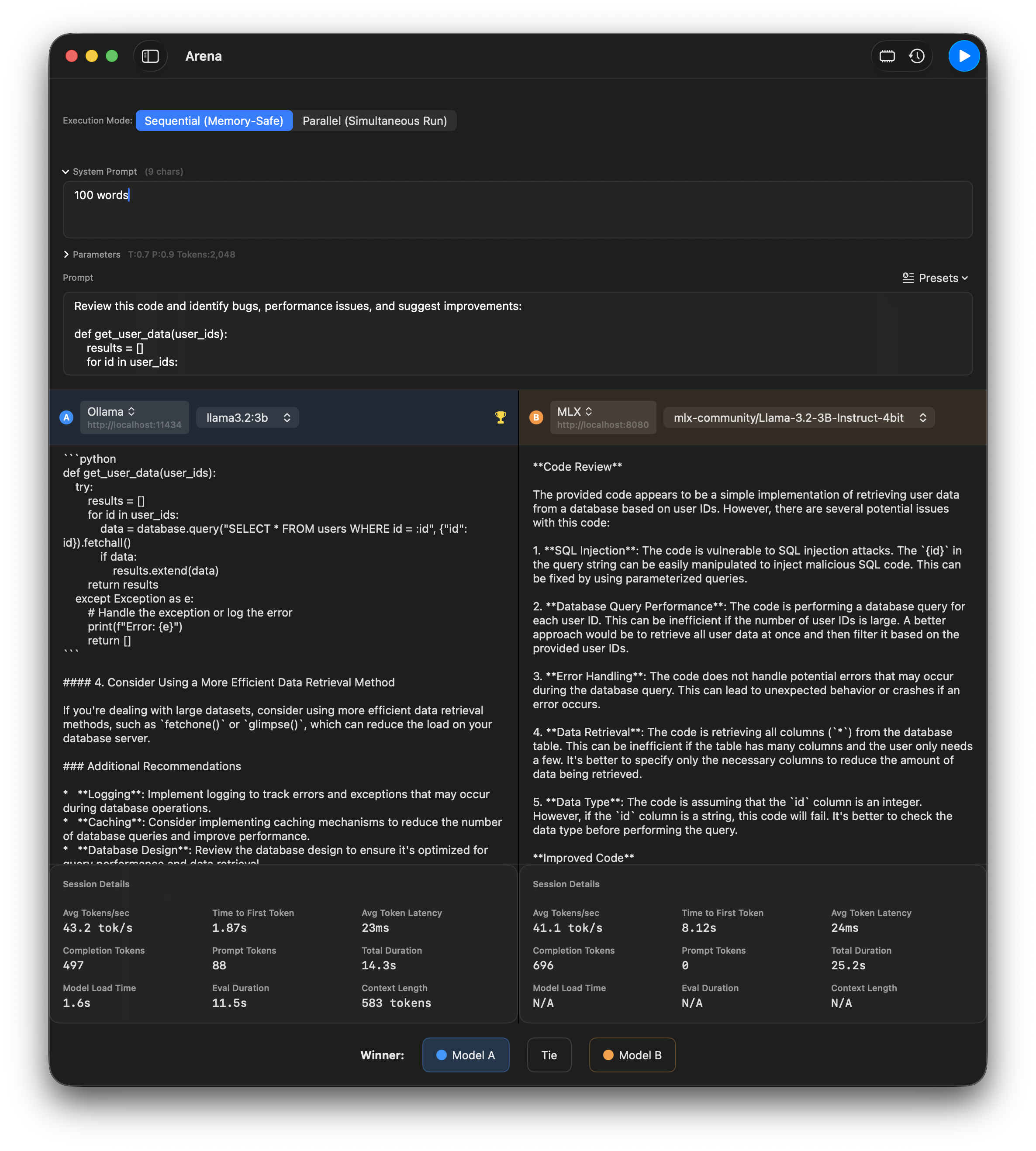
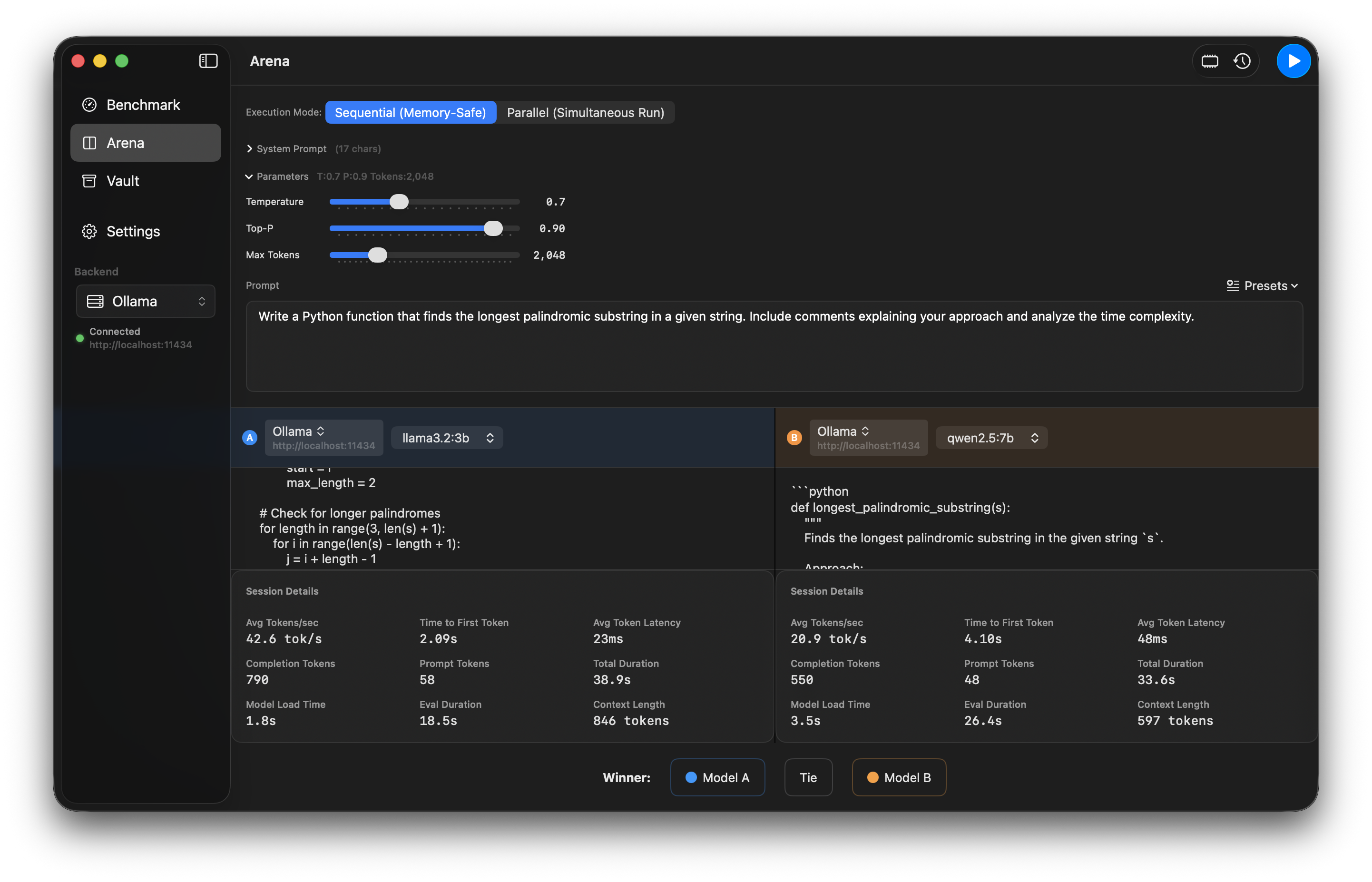
Side-by-side A/B testing to compare models head-to-head.
Unified view of all models across all configured backends.
Run the same prompt against two different models and compare results side-by-side. Vote for winners and track comparison history.
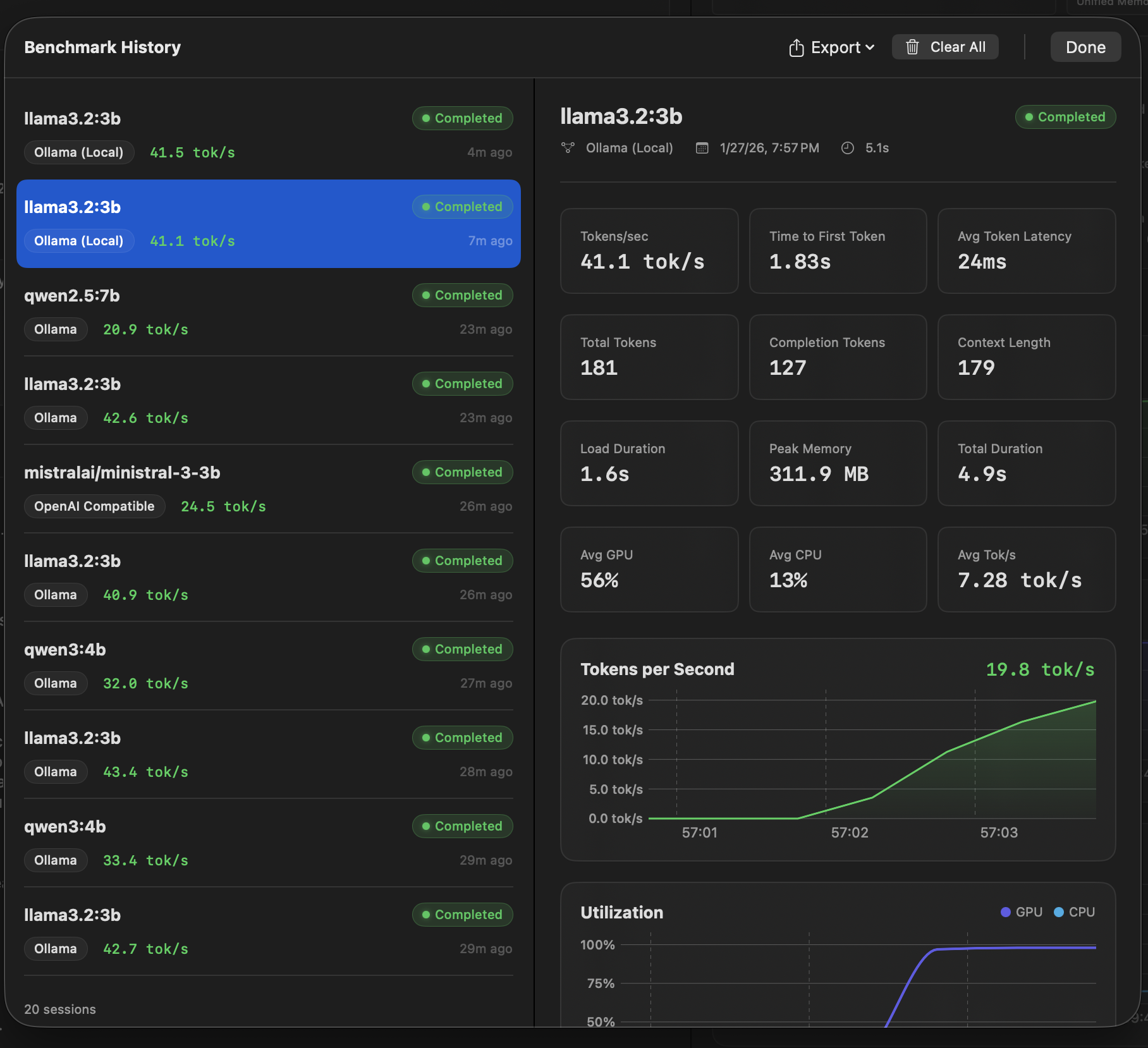
View all models across backends, see what's loaded, and manage disk usage.
Every metric card includes a help tooltip explaining exactly where the data comes from and how it's calculated.
completion_tokens ÷ generation_time
IOReport utilization percentage
Ollama /api/ps size_vram field
Everything you need to get started with Anubis
| Backend | Port | Setup |
|---|---|---|
| Ollama | 11434 | Install from ollama.ai |
| mlx-lm | 8080 | mlx_lm.server --model <model> |
| LM Studio | 1234 | Enable server in settings |
| vLLM | 8000 | Configure in Settings |
| openWebUI/Docker | 3000 | Launch OpenWebUI through Docker and pull a model |
Download from ollama.ai and run ollama serve
ollama pull llama3.2:3b
Select your model and click Run to benchmark
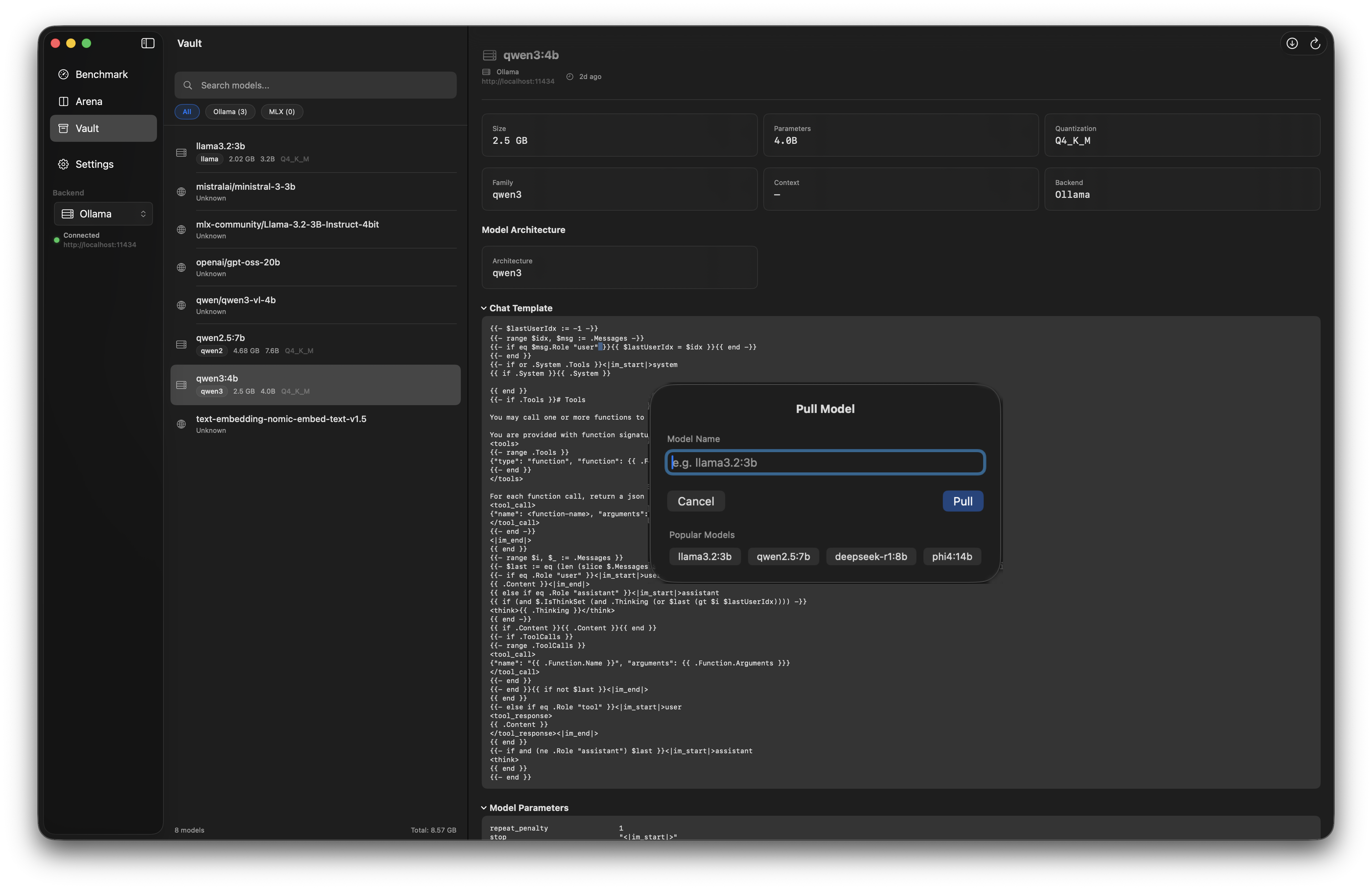
View all models across backends, see what's loaded, and manage disk usage.
Be the first to know when Anubis is available.
macOS 15+
Ollama, LMStudio, mlx-lm, OpenWebUI etc
Apple Silicon